Mac Studio M5
Technical Specifications
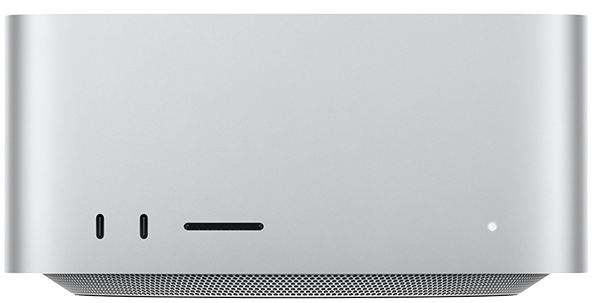
Available in Silver
18-Core CPU
32-Core GPU
36GB Unified Memory
512GB SSD Storage
30-Core CPU
64-Core GPU
96GB Unified Memory
1TB SSD Storage
Chip
Apple M5 Max chip
18-core CPU with 6 super cores and 12 performance cores
32-core GPU
Neural Accelerators
Hardware-accelerated ray tracing
16-core Neural Engine
460GB/s memory bandwidth
Media Engine
Hardware-accelerated H.264, HEVC, ProRes, and ProRes RAW
Video decode engine
Two video encode engines
Two ProRes encode and decode engines
AV1 decode
Configurable to:
M5 Max with 18-core CPU, 40-core GPU, and 16-core Neural Engine (614GB/s memory bandwidth)
Apple M5 Ultra chip
30-core CPU with 10 super cores and 20 performance cores
64-core GPU
Neural Accelerators
Hardware-accelerated ray tracing
32-core Neural Engine
1.2TB/s memory bandwidth
Media Engine
Hardware-accelerated H.264, HEVC, ProRes, and ProRes RAW
Two video decode engines
Four video encode engines
Four ProRes encode and decode engines
AV1 decode
Configurable to:
M5 Ultra with 36-core CPU, 80-core GPU, and 32-core Neural Engine (1.2TB/s memory bandwidth)
Memory
36GB
36GB unified memory
Configurable to:
48GB, 64GB, or 128GB (M5 Max with 18‑core CPU and 40‑core GPU)
96GB
96GB unified memory
Configurable to:
256GB or 512GB (M5 Ultra with 36‑core CPU and 80‑core GPU)
Storage
512GB
512GB SSD
Configurable to:
1TB, 2TB, 4TB, or 8TB
1TB
1TB SSD
Configurable to:
2TB, 4TB, 8TB, or 16TB
Display Support
M5 Max
Supports up to five external displays over any combination of Thunderbolt and HDMI ports:
Five displays: Four displays up to a native resolution of 6K at 60Hz or 4K at 165Hz, plus a fifth display with up to 5K at 60Hz over HDMI Up to three displays: Two displays up to a native resolution of 8K at 60Hz or 5K at 120Hz or 4K at 240Hz, plus a third display with up to 5K at 60Hz over HDMI
Supports up to four external displays over a single Thunderbolt port
Thunderbolt 5 (USB-C) ports support native DisplayPort 2.1 speeds
Supports variable refresh rate (VRR), HDR, and multichannel audio
M5 Ultra
Supports up to eight external displays over any combination of Thunderbolt and HDMI ports:
Eight displays up to a native resolution of 6K at 60Hz or 4K resolution at up to 165Hz Up to four displays up to a native resolution of 8K at 60Hz or 5K at 120Hz or 4K at 240Hz
Supports up to four external displays over a single Thunderbolt port
Thunderbolt 5 (USB-C) ports support native DisplayPort 2.1 speeds
Supports variable refresh rate (VRR), HDR, and multichannel audio
Audio
Built-in speaker
3.5 mm headphone jack with advanced support for high-impedance headphones
HDMI port supports multichannel audio output
Connections and Expansion
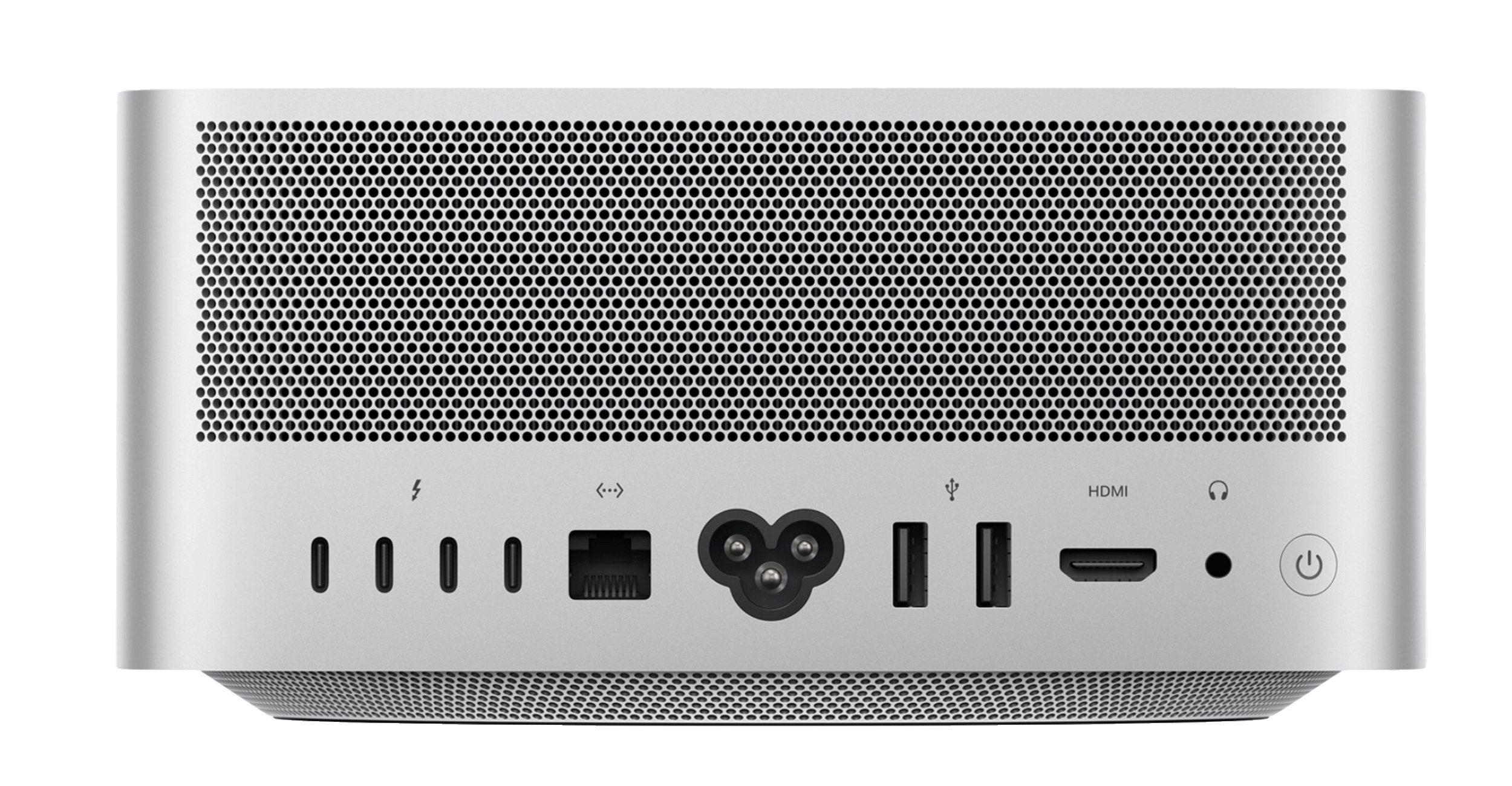
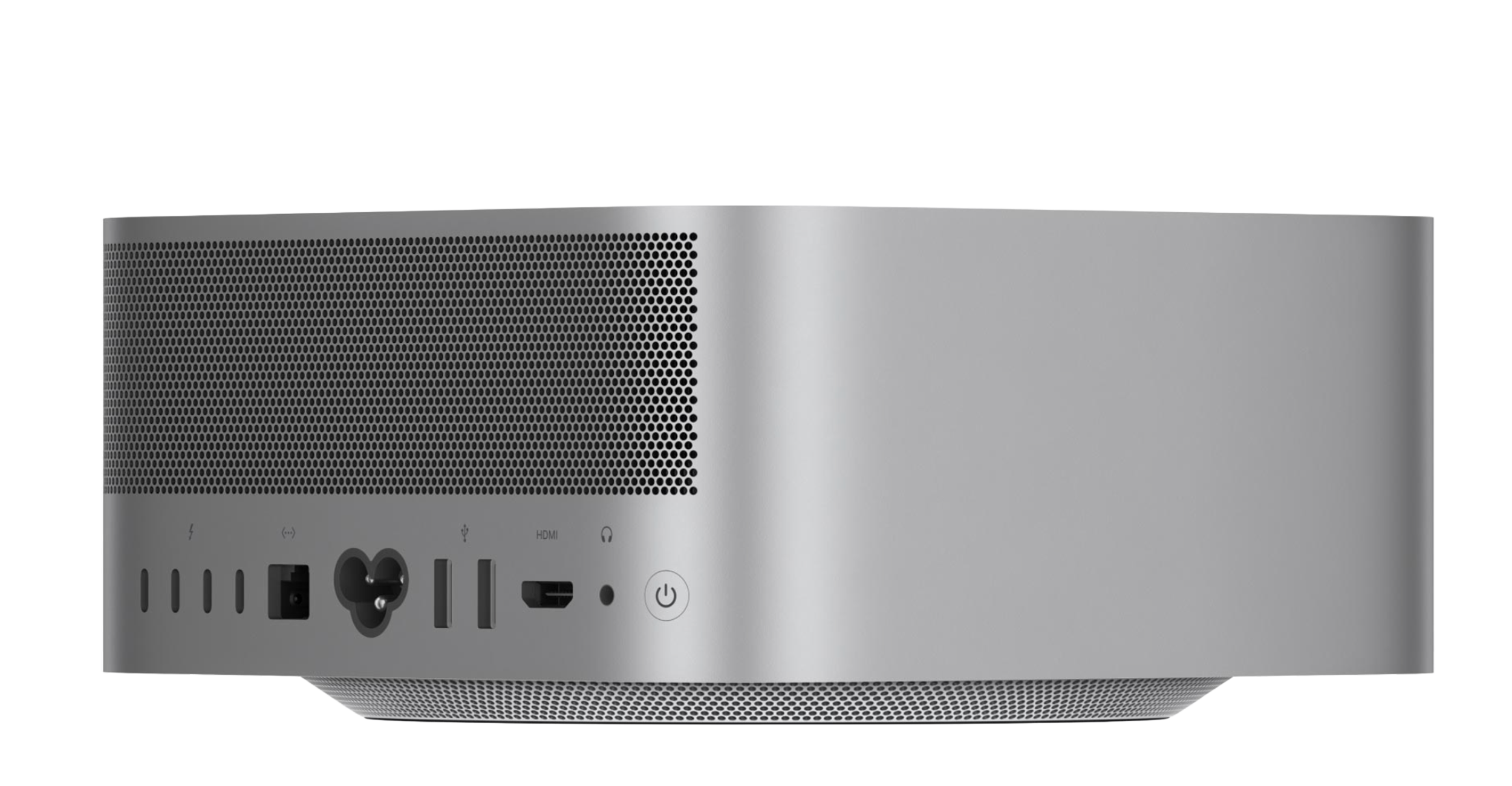
Four Thunderbolt 5 (USB‑C) ports with support for:
Thunderbolt 5 (up to 120Gb/s)
USB 4 (up to 120Gb/s)
USB 3 (up to 10Gb/s)
DisplayPort 2.1
Genlock
Two USB 3 (USB‑A) ports (up to 5Gb/s)
HDMI 2.1 port
10Gb Ethernet
3.5 mm headphone jack
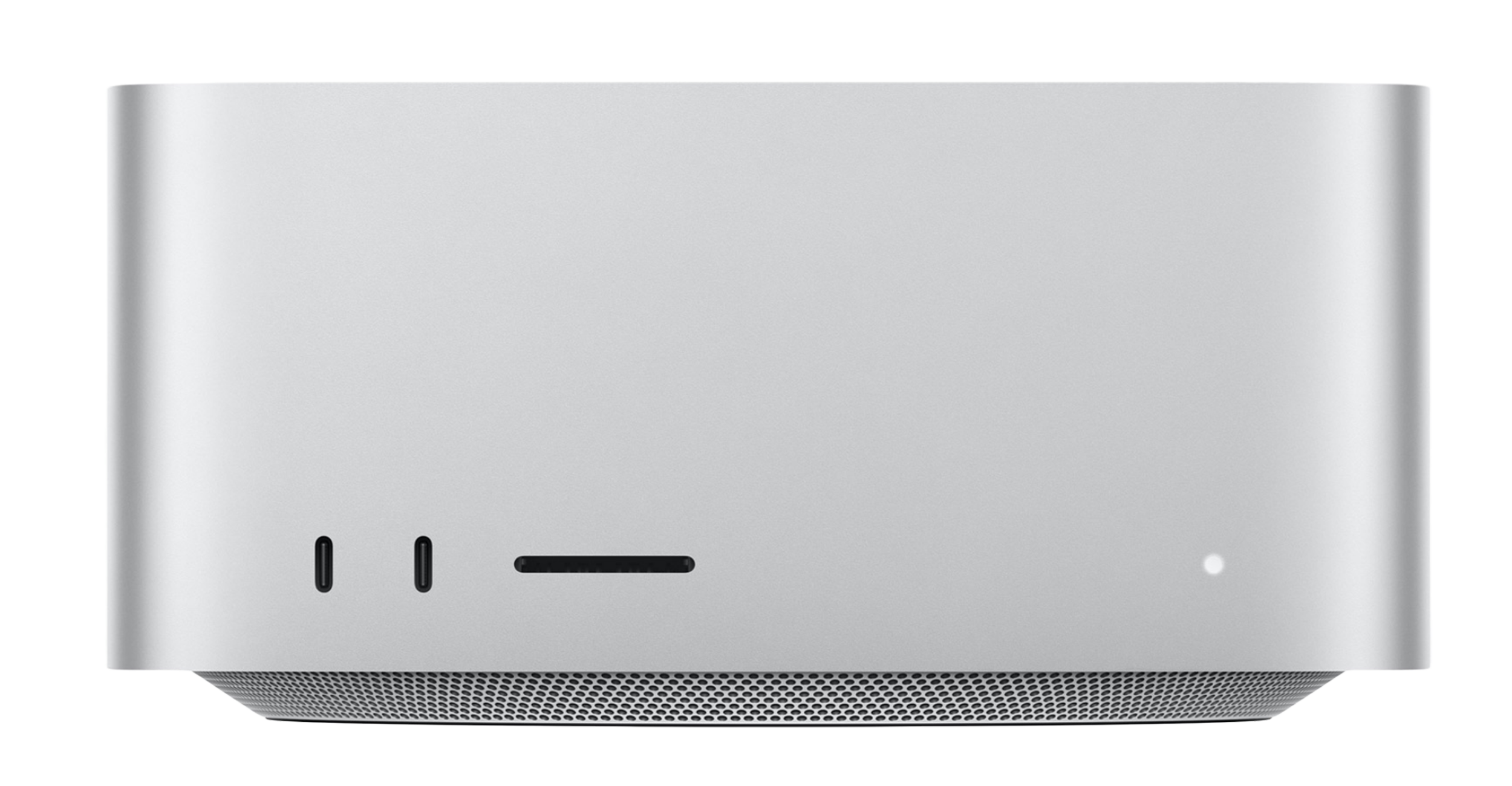
On front (M5 Max):
Two USB-C ports (up to 10Gb/s)
SDXC card slot (UHS-II)
On front (M5 Ultra):
Two Thunderbolt 5 ports (up to 120Gb/s)
SDXC card slot (UHS-II)
Communications
Wireless
Apple N1 wireless networking chip
Wi‑Fi 7 (802.11be)
Bluetooth 6
Thread networking technology
Ethernet
10Gb Ethernet (Nbase-T Ethernet with support for 1Gb, 2.5Gb, 5Gb, and 10Gb Ethernet using RJ-45 connector)
Size and Weight
Height: 3.7 inches (9.5 cm)
Width: 7.7 inches (19.7 cm)
Depth: 7.7 inches (19.7 cm)
Weight (M5 Max): 6.0 pounds (2.7 kg)
Weight (M5 Ultra): 8.0 pounds (3.6 kg)
Electrical and Operating Requirements
Line voltage: 100–240V AC
Frequency: 50Hz to 60Hz, single phase
Maximum continuous power: 480W
Operating temperature: 50° to 95° F (10° to 35° C)
Storage temperature: –40° to 116° F (–40° to 47° C)
Relative humidity: 5% to 90% noncondensing
Operating altitude: tested up to 16,400 feet (5000 meters)
In the Box
Mac Studio
Power cord
Operating System
macOS
macOS is the most advanced desktop operating system in the world. Siri AI is a powerful and capable assistant with personal context understanding, broad world knowledge, and onscreen awareness. Express yourself through photos and images, save time with Safari, and get more done with Apple Intelligence seamlessly integrated into your everyday apps and experiences. And iPhone Mirroring, window tiling, Sidecar, and more help you stay productive.
Accessibility
Accessibility features help people with disabilities get the most out of their new MacBook Air. With built‑in support for vision, hearing, mobility, and learning, you can create and do amazing things.
Features include:
Voice Control
VoiceOver
Siri and Dictation
Increase Contrast
Reduce Motion
Live Captions
Switch Control
Zoom